PRODUCT DESIGN

FULL TIME WORK

Partner Rating: Bringing Partner Quality to Wego.com's Price-Driven Experience

Company

Wego.com

Timeline

May - Aug 2025

Role

Product Designer

Tools

Figma

First scoped in 2022 and shelved, Partner Rating was revived in 2025 in response to a significant year-on-year decline in Wego's Flights Metasearch conversion rate, requiring the team to move fast under a tight timeline.

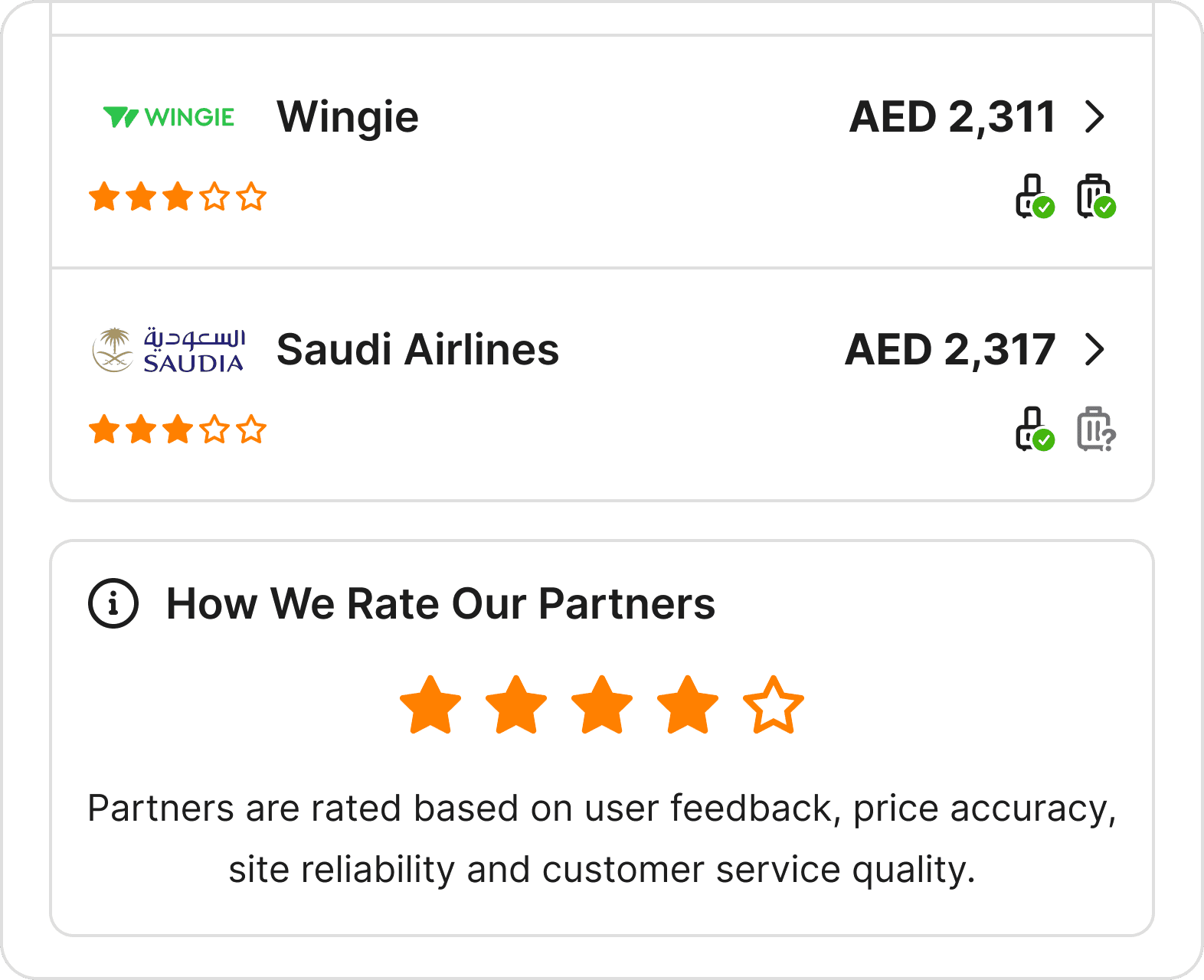
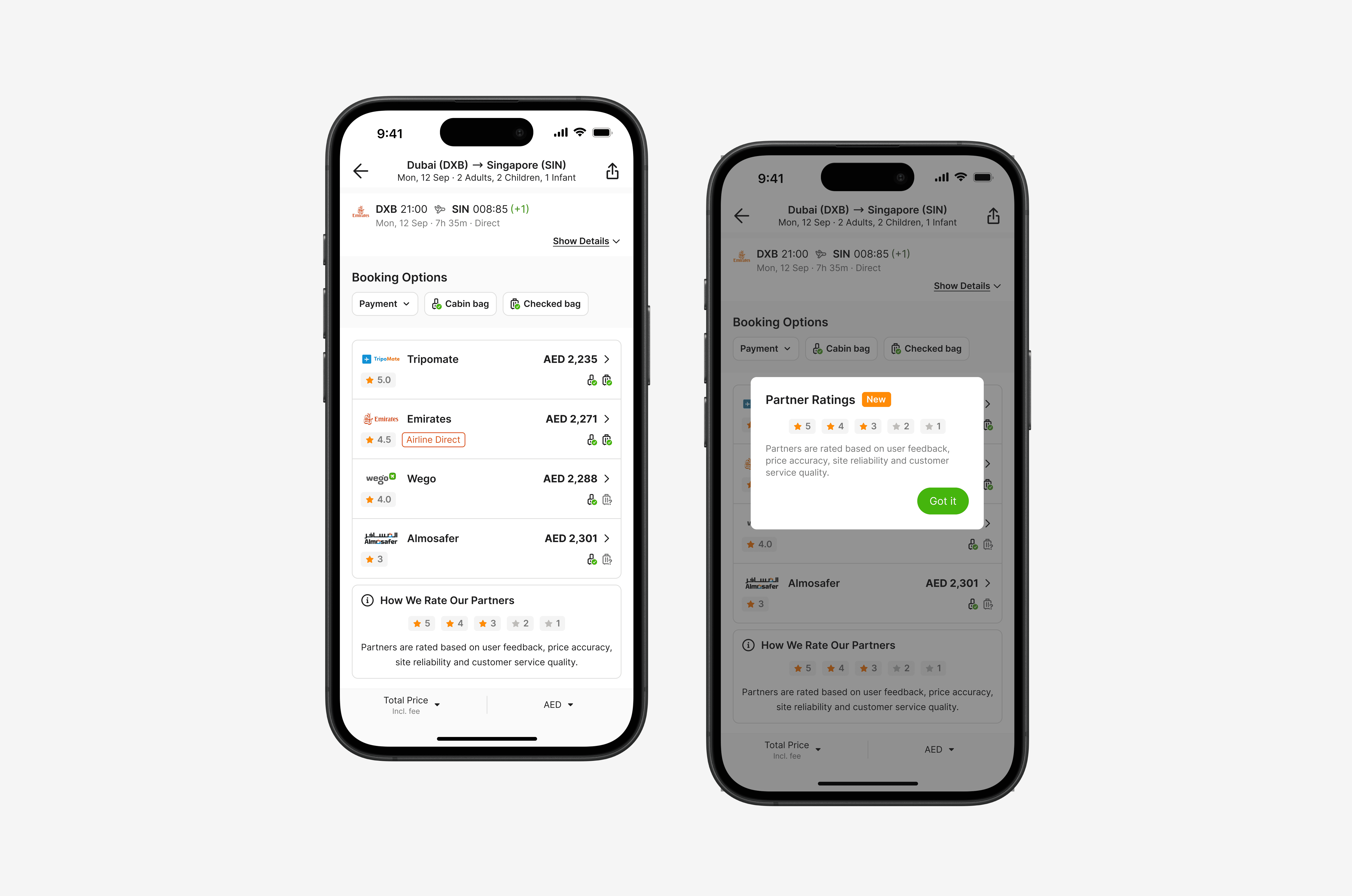
Partner Rating displays quality scores for booking partners such as OTAs, airlines, and sponsored providers on the flight details page, helping users make more confident booking decisions while giving Wego a way to surface better-performing partners.

As the main designer on this feature, I handled the end-to-end design process, coordinating with the PM, SPM, and engineers across mobile and desktop. I also initiated and maintained a Progress Report to keep iterations documented and handoffs clear.
pROBLEM

Users Could See the Price, Not the Partner

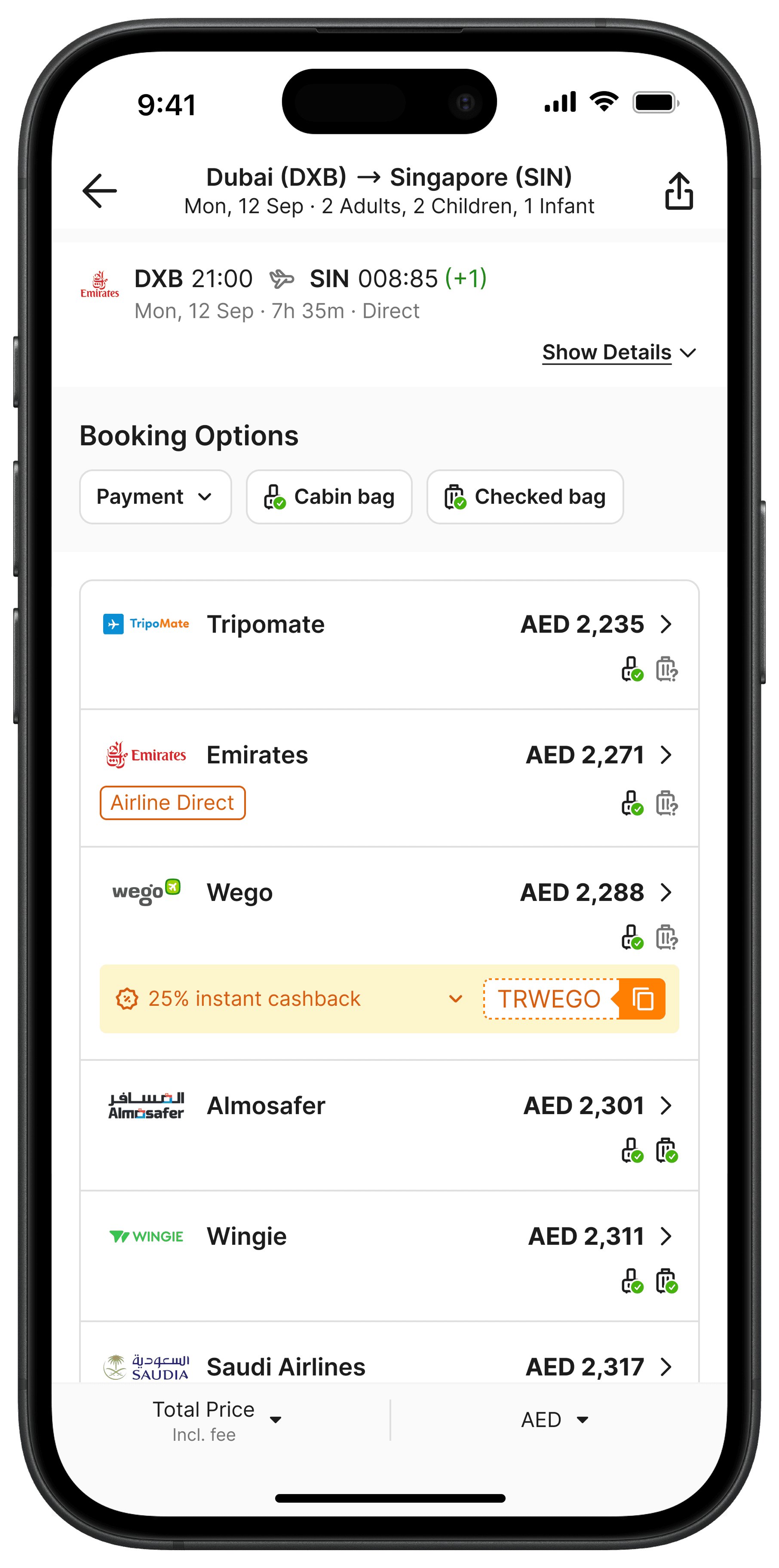
Wego works with 100+ booking partners, varying a lot in price accuracy, reliability, and service. But on the flight details page, users saw only two things: the partner's name and its price.

There is a transparency gap. Cheaper doesn't mean better. With no quality signal, users clicked blind and often landed on partners with inaccurate prices or weak support.

Left to compare on price alone, users defaulted to the cheapest option, ran into inaccurate prices and weak support, and lost trust. It surfaced as rising complaints and a 15% year-on-year drop in conversion.

This wasn't a new problem. Wego had tried to guide users before, with a "Recommended" row of featured partners above the results, including its own OTA. But the basis was never visible: the featured picks weren't the cheapest, and the labels varied.

With no stated, consistent reason, the row read as promotion, not guidance. It was removed, and the gap stayed open.

"As a flight search user, I want to judge which partners are reliable before I book, so I can choose with confidence instead of betting on price alone."

"As a flight search user, I want to judge which partners are reliable before I book, so I can choose with confidence instead of betting on price alone."

PROJECT OBJECTIVES

Help users choose who to book with, not just what price to pick.

USER

Stop guessing, start choosing with confidence

Price alone is not enough. Users needed a way to evaluate partner quality before committing to a booking.

BUSINESS

Turn partner quality into a growth lever

Surfacing stronger partners without overtly picking winners., manage underperformers, and build the kind of trust that brings users back.

PROJECT GOAL & DESIGN CONSTRAINTS

How might we give users a quality signal, right where they choose, without slowing them down?

Any solution had to clear three bars,

  • Fair to every partner: Wego runs its own OTA as one of the patner. Anything that couldn't score Wego on the same rules as everyone else was off the table.

  • Defensible to partners: We couldn't favor or bury a partner without a transparent, data-backed reason. Choosing some featured partners invites every unfeatured partner to ask why.

  • Fast to ship: This was a revived feature under time pressure, not a ground-up rebuild.

THE OPPORTUNITY

Partner Rating Doesn't Picks Winners

We looked at possibilities available from the forceful ones to informative ones. The forceful ones all shared a problem: they meant Wego deciding for the user which break our constraints.

Partner Rating was the sharpest fit. A quality score on every partner row gives users a real signal, without picking winners.

hOW IT WORKS

Innocent Until Proven Guilty

Each partner starts with a perfect score of 5. Points are deducted based on four factors, so the final score reflects how much trust has been lost, not how much has been earned.

  • Conversion rate compared to other partners on the same search, measured by percentile ranking

  • Price accuracy measured two ways: through user reports after visiting a partner site, and through Wego's own price crawler

  • Complaint volume based on how many users raised issues with a partner

  • Complaint resolution based on how well and how quickly partners resolved those issues

The formula is designed to always produce a spread of scores. Scores are calculated per device type, and the lowest tier (1 to 2 stars) is hidden from users. In practice, most users see ratings between 3.5 and 5, which became a key finding later in the experiment.

DESIGN DECISION #1

Rating Design

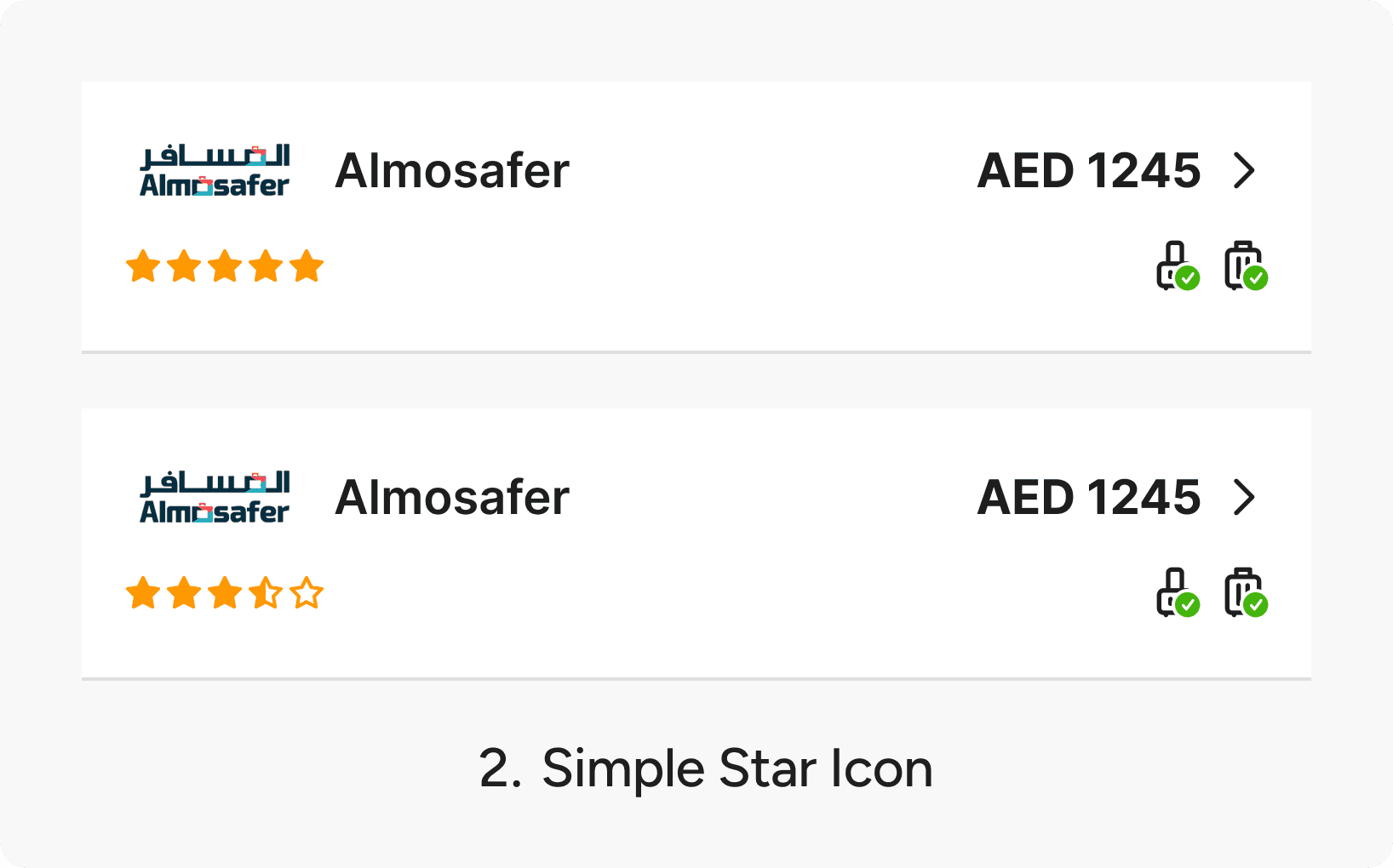
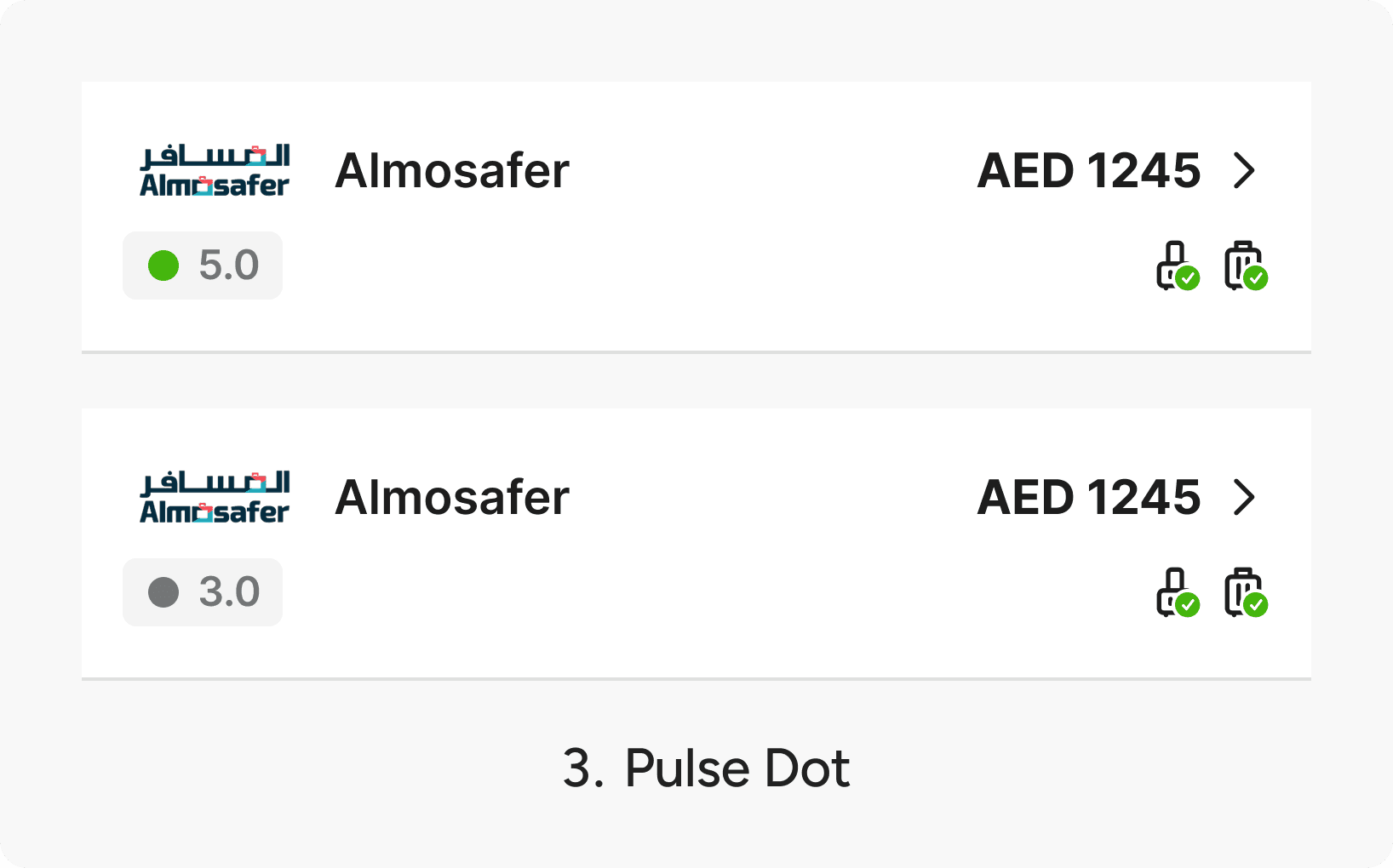
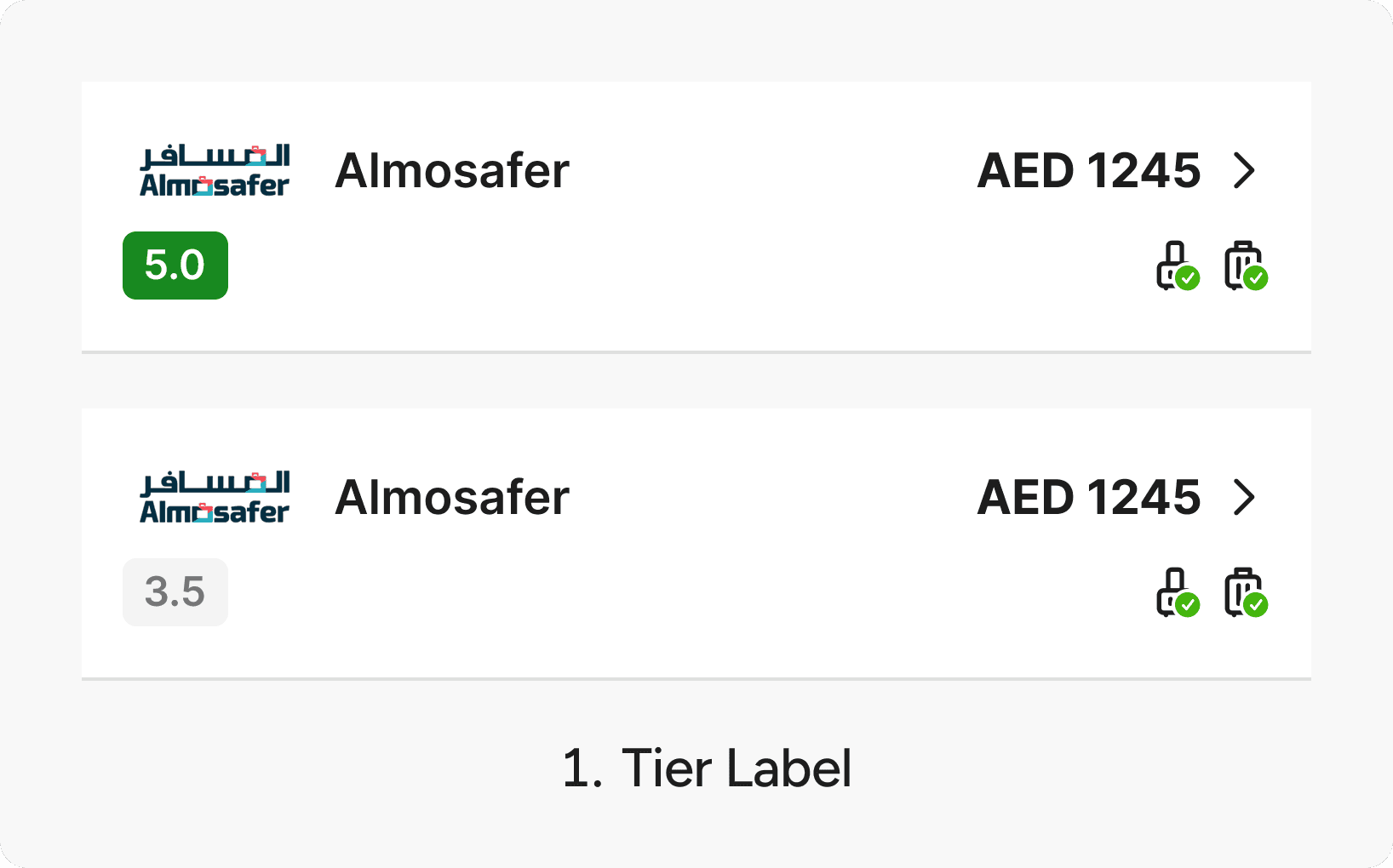
The core principle was to keep the rating minimal. The booking options list already contains many components.

The last thing we wanted was to distract users or slow them down from completing the main action: choosing a partner.

We decided to move forward with option 2. Simple Star Icon for the A/B Testing.
DESIGN DECISION #2

How to Inform Users About Partner Ratings?

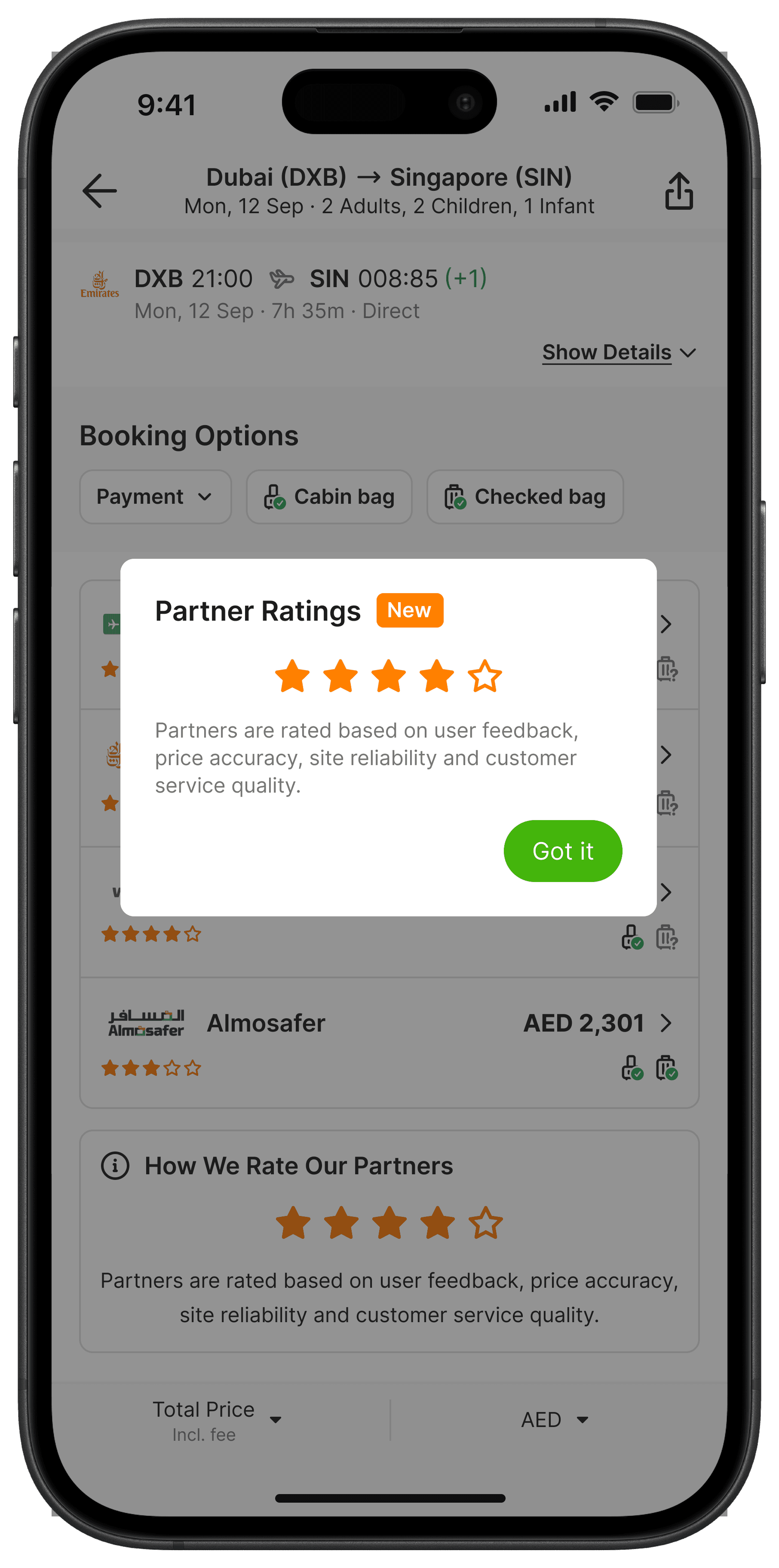
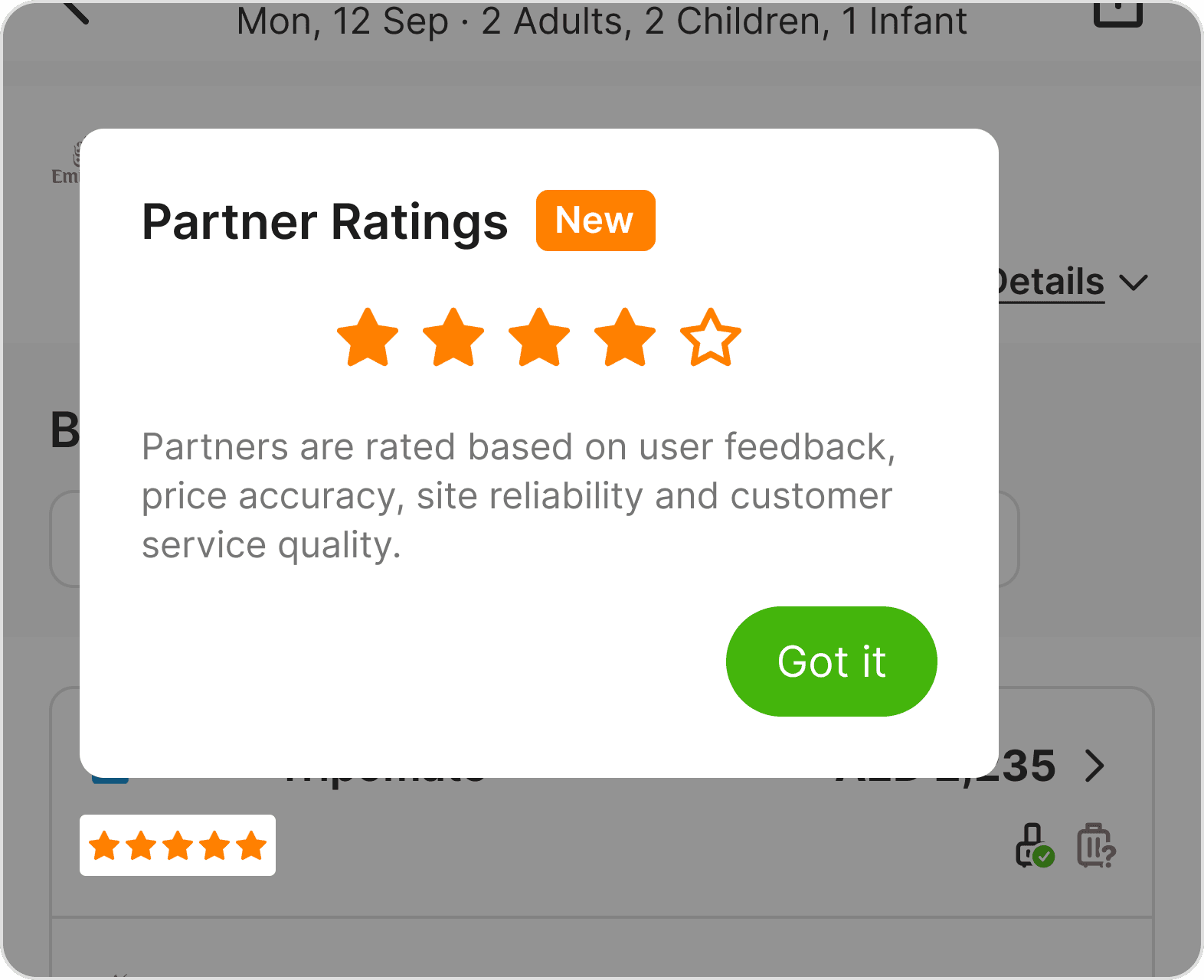
Ratings are most commonly associated with user-submitted reviews. This feature works differently, so we needed to communicate that distinction clearly and avoid confusion from the start.
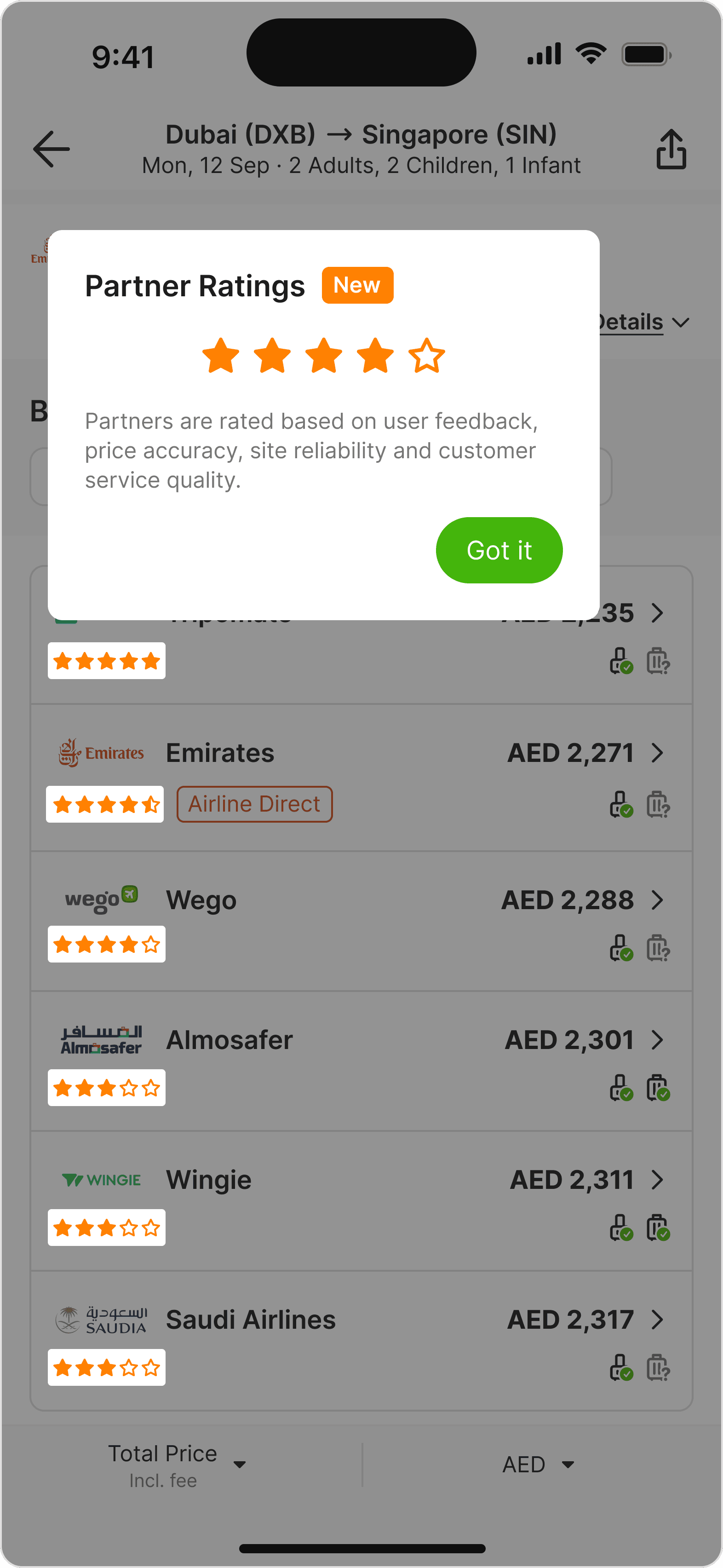
Onboarding Spotlight

Onboarding Spotlight

Pros

  • Immediately draws attention to the rating

  • Highlights the rating in context, right where users see it

  • Hard to miss on first visit

Cons

  • Once dismissed, there is no trigger to reopen

  • Needs a defined rule for how often to reappear

  • Prone to accidental close

Onboarding Spotlight

Onboarding Spotlight

Pros

  • Immediately draws attention to the rating

  • Highlights the rating in context, right where users see it

  • Hard to miss on first visit

Cons

  • Once dismissed, there is no trigger to reopen

  • Needs a defined rule for how often to reappear

  • Prone to accidental close

Tooltip in the partner list

Tooltip in the partner list

Pros

  • Doesn't block the main UI

  • Users can reopen it anytime they want

Cons

  • Easy to miss if users do not notice the icon

  • May feel redundant because the info icon repeats on every partner row

  • Requires an extra tap to open

Tooltip in the partner list

Tooltip in the partner list

Pros

  • Doesn't block the main UI

  • Users can reopen it anytime they want

Cons

  • Easy to miss if users do not notice the icon

  • May feel redundant because the info icon repeats on every partner row

  • Requires an extra tap to open

Info Banner

Info Banner

Pros

  • Always visible, no interaction needed

  • Least intrusive of the three options

Cons

  • Easy to miss when the partner list is long

  • Passive, so users may scroll past it without reading

Info Banner

Info Banner

Pros

  • Always visible, no interaction needed

  • Least intrusive of the three options

Cons

  • Easy to miss when the partner list is long

  • Passive, so users may scroll past it without reading

Tap cards to reveal pros & cons

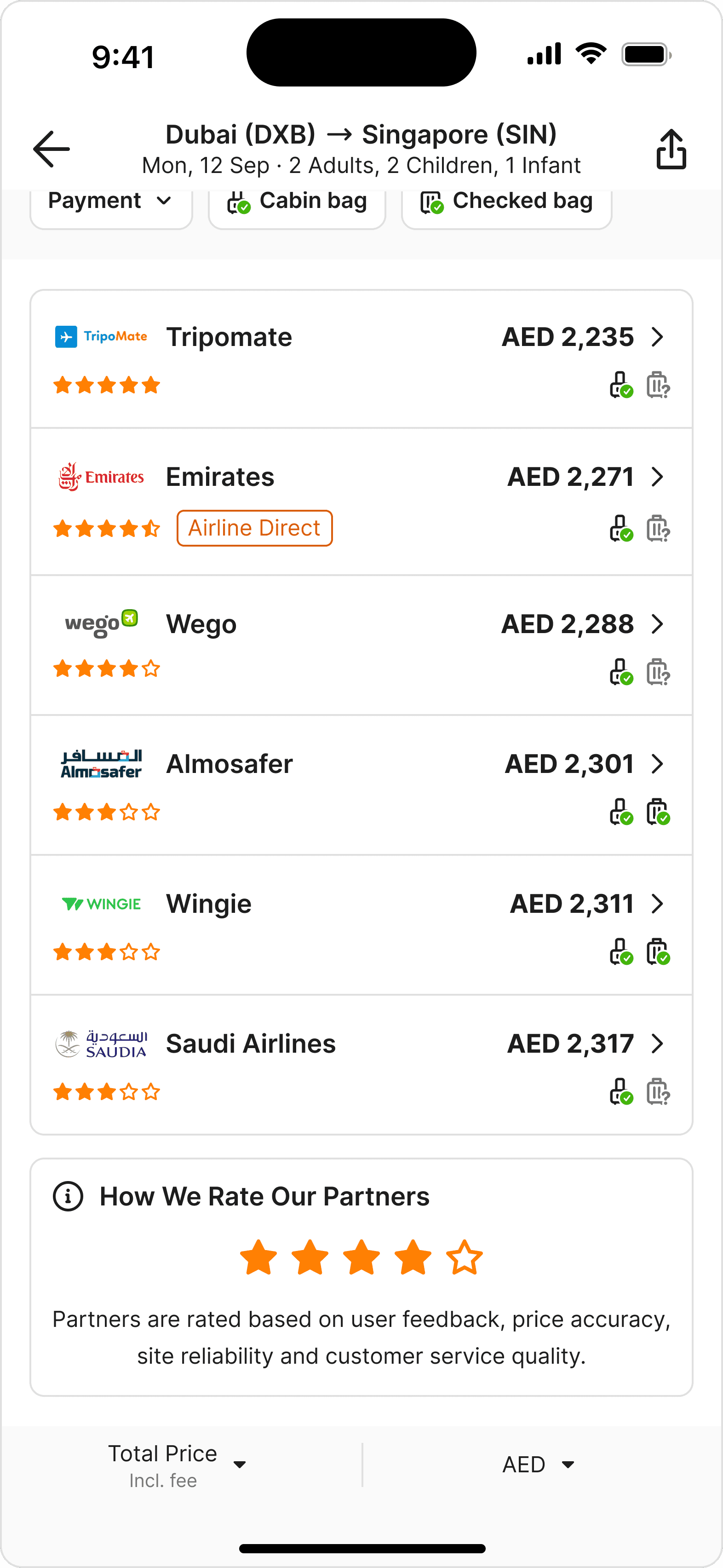
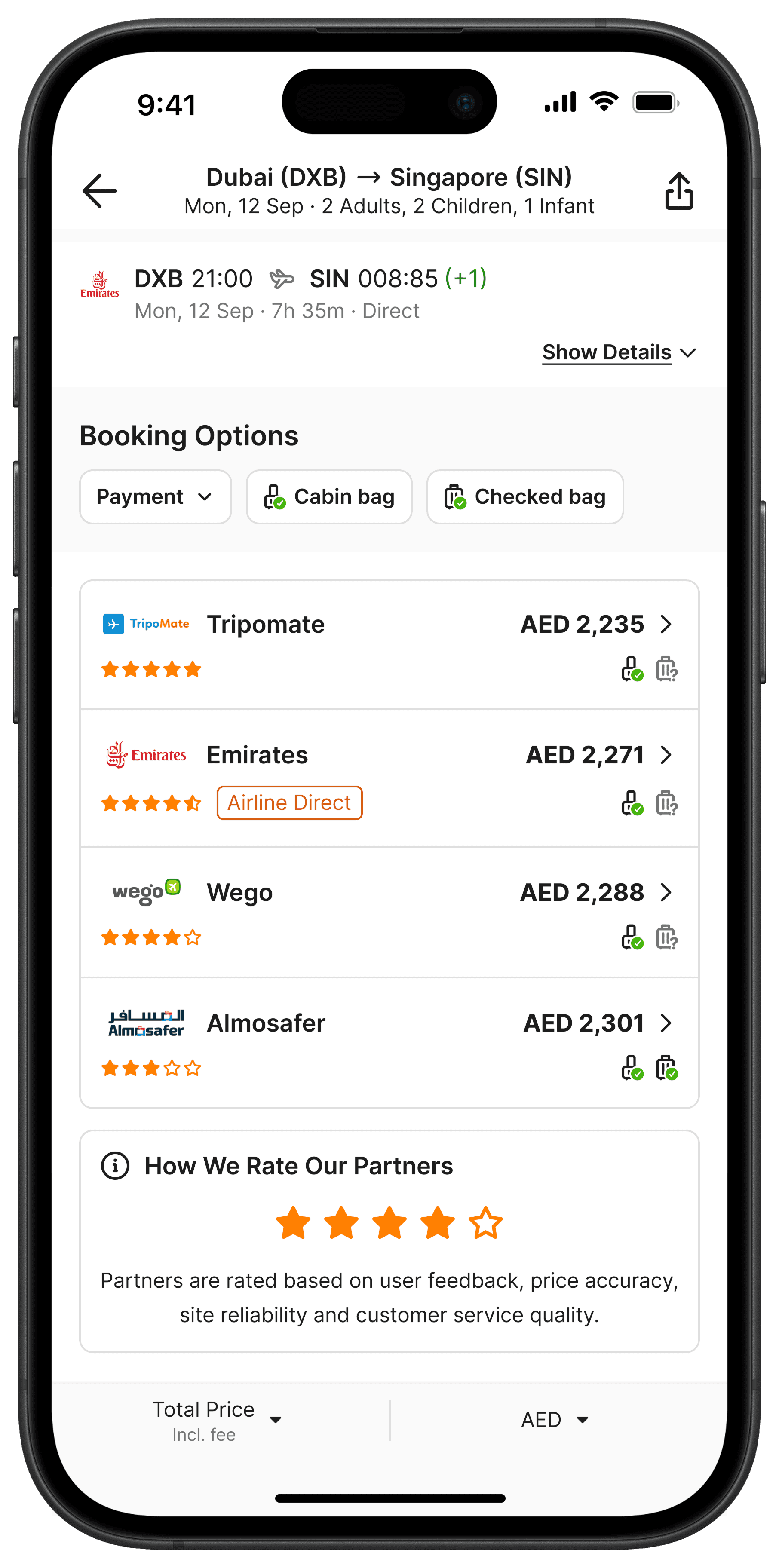
After weighing the pros and cons of each option, we moved forward with the Info Banner for its persistent and low-effort nature, combined with a one-time popup to ensure first-time visibility.

A/B TEST

A Win for Users, A Challenge for Revenue
What Improved

Conversion Rate (CVR) increased, suggesting users were being guided toward better partners

Partners rated 3.5 and above saw the strongest CVR gains

Revenue earned per click (eCPC) rose, meaning users were clicking higher-paying partners

What Declined

Clicks per session dropped, users became more selective

The higher eCPC was not enough to offset the drop in overall clicks

Net result: revenue per user fell

What We Learned

The feature improved CVR but hurt revenue. Users became more selective, which was the goal, but click volume dropped enough to outweigh the gains.

The likely cause: too much at once → star ratings, an onboarding popup, and a footer explanation on a single screen overwhelmed users before they could act.

Most fixes point to backend improvements, particularly increasing rating variance across partners. Currently 75% of partners score 4 or 5, leaving little meaningful differentiation for users to act on.

dESIGN IMPROVEMENT

How Do We Say More With Less?
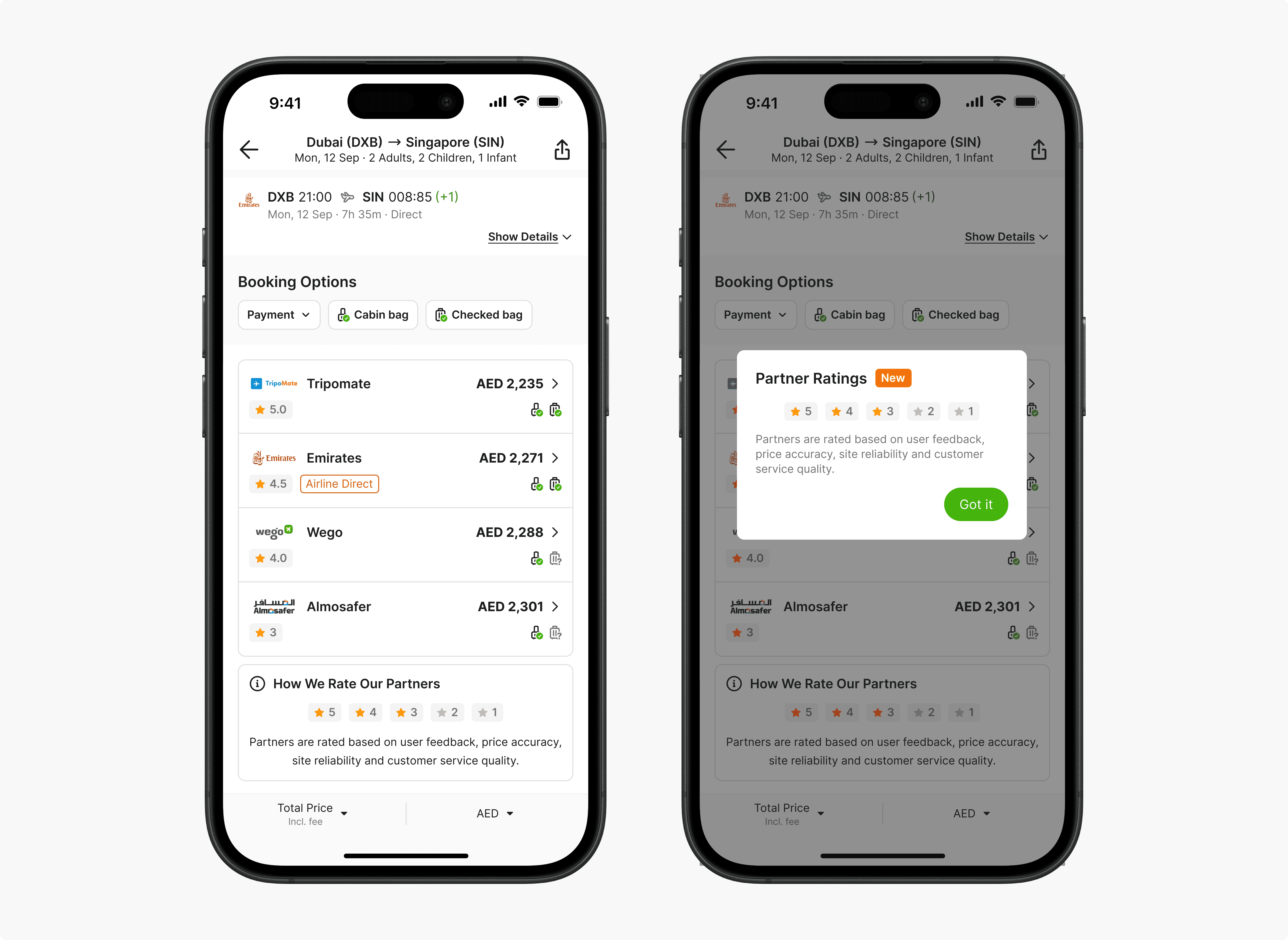
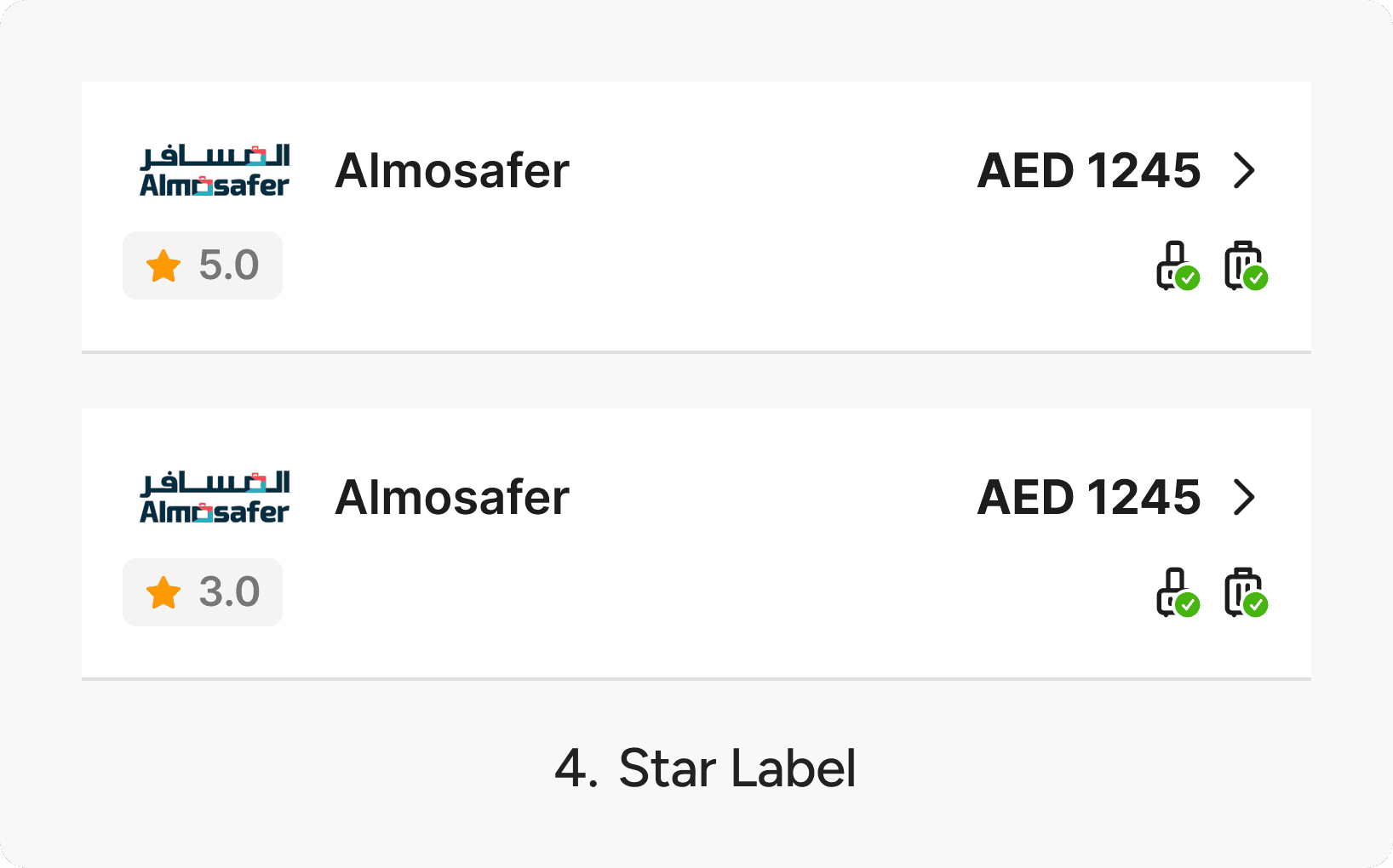
We switched from the Simple Star Icon to the Star Label variant and added a subtle color progression to differentiate high ratings from low ones. The Star Label reduces the need to count individual stars, and the Info Banner can now display the full 1-5 rating scale at a glance without overexplaining it.

This experiment is currently on hold while we figure out a better rating system and calculation to make the scores more meaningful for users.

Lesson Learned

Better decisions, not always better revenue

Better decisions can also mean fewer, more selective clicks, which hurt short-term revenue. Features that improve decision quality need other revenue levers to compensate while trust builds over time.

On a dense page, design by subtraction

The booking options list had no room for more. Future features in this section should start by asking what to remove, not what to add.

Education and conversion pull in opposite directions

An auto-triggered popup teaching users about ratings may have interrupted booking intent at the wrong moment. Opt-in education is worth testing next.

What I Would Do Differently

I would have pushed to define a clearer north star metric before the experiment launched. With CVR and revenue pulling in opposite directions, we lacked a shared definition of success until after the results came in. It would also have been worth thinking upfront about a fallback revenue strategy, such as cross-sell or upsell opportunities, in case the feature hurt short-term volume.

PROJECT OBJECTIVES

Help users choose who to book with, not just what price to pick.

USER

Stop guessing, start choosing with confidence

Price alone is not enough. Users needed a way to evaluate partner quality before committing to a booking.

BUSINESS

Turn partner quality into a growth lever

Surfacing stronger partners without overtly picking winners., manage underperformers, and build the kind of trust that brings users back.

PROJECT GOAL & DESIGN CONSTRAINTS

How might we give users a quality signal, right where they choose, without slowing them down?

Any solution had to clear three bars

  • Fair to every partner: Wego runs its own OTA as one of the patner. Anything that couldn't score Wego on the same rules as everyone else was off the table.

  • Defensible to partners: We couldn't favor or bury a partner without a transparent, data-backed reason. Choosing some featured partners invites every unfeatured partner to ask why.

  • Fast to ship: This was a revived feature under time pressure, not a ground-up rebuild.

THE OPPORTUNITY

How we come up with Partner Rating

We looked at possibilities available from the forceful ones to informative ones. The forceful ones all shared a problem: they meant Wego deciding for the user which break our constraints.

Partner Rating was the sharpest fit. A quality score on every partner row gives users a real signal, without picking winners.

hOW IT WORKS

Innocent Until Proven Guilty

Each partner starts with a perfect score of 5. Points are deducted based on four factors, so the final score reflects how much trust has been lost, not how much has been earned.

  • Conversion rate compared to other partners on the same search, measured by percentile ranking

  • Price accuracy measured two ways: through user reports after visiting a partner site, and through Wego's own price crawler

  • Complaint volume based on how many users raised issues with a partner

  • Complaint resolution based on how well and how quickly partners resolved those issues

The formula is designed to always produce a spread of scores. Scores are calculated per device type, and the lowest tier (1 to 2 stars) is hidden from users. In practice, most users see ratings between 3.5 and 5, which became a key finding later in the experiment.

Other Projects

Thank you for reading this far, kudos to you! Let’s together take a deep breath 🍃—and maybe a sip of water 🧊. But hold on, did you say you want more? Lucky you, there's another one below. See you on the next page!